
It is flexible, familiar, and powerful for basic calculations.
However, Excel was never designed to function as a long-term
estimation system.
As estimation becomes more critical to profitability and planning,
Excel’s structural limitations begin to surface—often quietly.
and often too late.
Why do you feel Excel might work?
Excel performs well in early-stage organizations’ estimation because:
- It allows quick calculations without the setup of a standard
- Estimators can customize formulas freely without involving
- Verbally, assumptions are carried by Small teams to communicate
- Volume is low, so Errors are easy to spot
These strengths become weaknesses as estimation complexity grows in the future when the organization is growing.
Main Limitations of Excel for Estimation
1. There is no Built-In Workflow or accountability.
Excel does not define who prepares, reviews, or approves an estimate.
Responsibility is informal, not documented, and varies from project to project.
increasing the risk of unreviewed or inconsistent estimates.
2. High Risk of Human Error
Cells can easily be edited accidentally, and formulas can be overwritten by anyone without tracking.
and copy-paste reuse can accumulate to hidden errors.
Excel offers limited protection against all the above-mentioned mistakes.
3. Poor Version Control
Multiple copies of the same spreadsheet quickly appear.
Teams struggle to identify which file is the current one and which is the old one.
leading to outdated or conflicting numbers being shared across.
4. Assumptions Are Not Structured and well-written
Key assumptions often live inside formulas, comments,
or separate conversations.
When Key considerations are not clearly documented,
estimates become difficult to validate or reuse without risk
5. Limited Visibility Into Changes
Excel provides little transparency into who made the change and why.
When numbers are shifted, tracing the source of the change might
becomes time-consuming or impossible to detect.
6. Difficult to Compare Estimates With Actual Results
Excel does not naturally connect estimates with real project outcomes.
Tracking estimated vs. actual performance often requires manual work.
making learning and improvement delayed and unreliable
7. Not Designed to Scale Across Teams
Excel works for small, individual estimates.
But as teams grow, files become difficult to handle and unstable.
Team coordination, consistency, and oversight become harder with every new project.
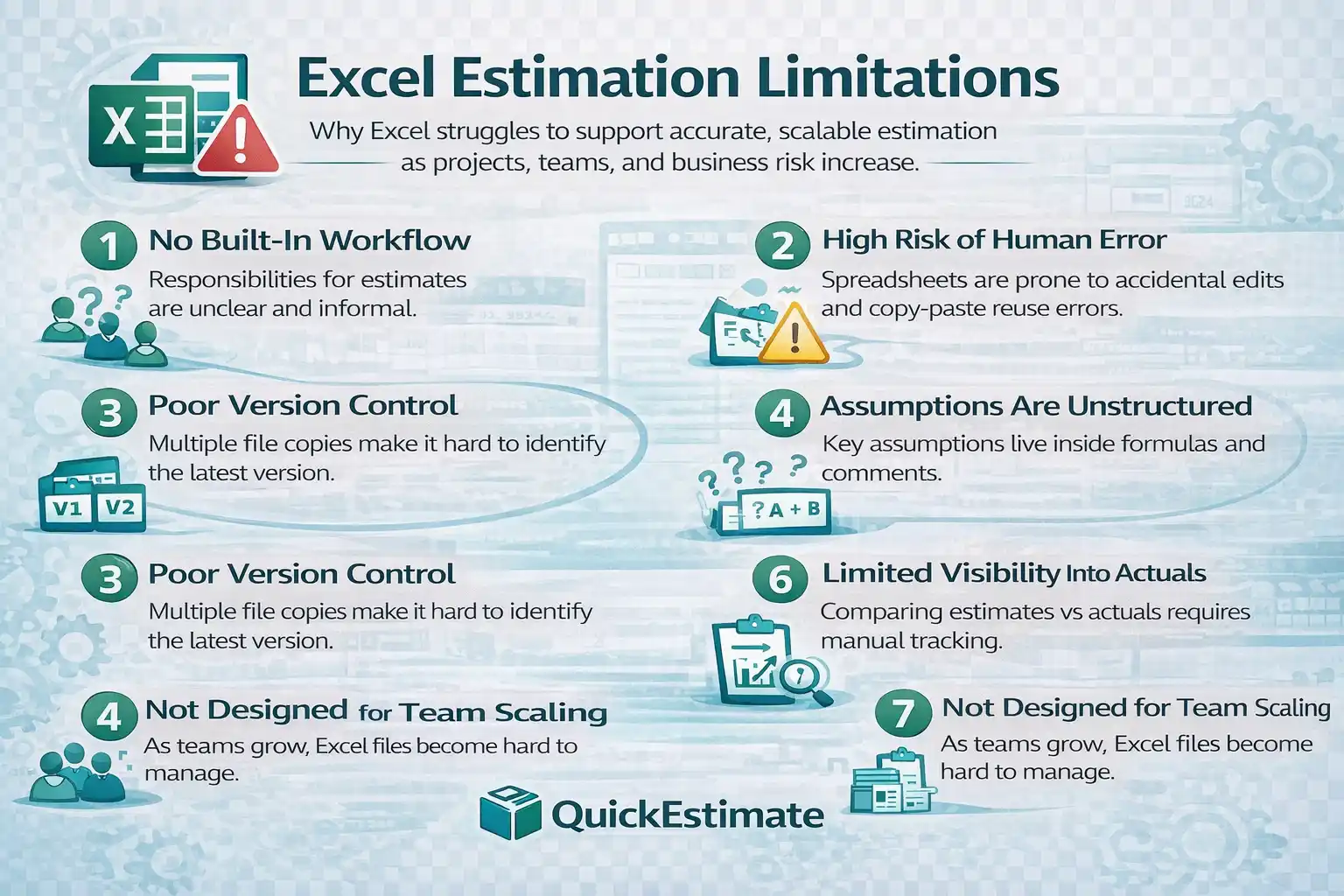
Excel estimation limitations become visible as projects scale and business risk increases.
Important Insight
Excel does not fail because it is not accurate.
It fails because it depends too heavily on human discipline
to maintain accuracy at a vast scale.
How These Limitations Impact the Business
Over time, Excel-based estimation limitations result in:
- Unpredictable pricing across all similar projects
- Reduced confidence in estimates
- Difficult to improve the estimation result accuracy over time
- As project volume increases, there is always a higher financial risk
These issues compound gradually, making them hard to detect early.
Why Adding More Complexity Doesn’t Solve the Problem
Over time, only a few people really understand how the file works. That makes the estimation process fragile, easy to break, risky, and difficult to scale as the team grows. So when teams face these issues, they try to fix Excel by adding more sheets, more formulas, and extra manual checks.
At a certain point, better estimation requires better structure —
not more spreadsheet complexity.
What Growing Teams Do Instead
- Introduce standardized and systematic estimation workflows
- Separate understanding from calculations
- Define review and approval checkpoints
- Track estimate versus actual outcomes
Excel may still be used for analysis.
But it stops being the system of record-keeping
Read the Excel vs Estimation Software