
It is flexible, familiar, and effective when projects are small-scale.
and the estimation was handled by one or only a few people.However, as businesses grow in scale, Excel usually becomes a hidden source of
estimation errors, delays, and margin erosion.
The issue is not only Excel itself; it’s knowing when your estimation
needs have exceeded it.
Why Excel Works in the Early Stages
In early-stage operations, Excel performs well because:
- Estimates are not complex in nature, and there is a low risk of losing the client.
Usually, there is only one person in the company who generates the estimate. One person typically owns the full estimate
- The Entire Project volume is manageable
- Errors are easy to detect and correct due to simple projects and fewer requirements involved
These kinds of conditions change rapidly as teams, projects, and clients increase in numbers.
What are the signs that you are thinking of moving to something else instead of using Excel?
1. Multiple People Are Editing the Same Estimate at the same time
Version control usually becomes a serious risk when estimates are shared through email and duplicated into multiple files. They are edited by several team members. Confusion over which file is the final one often leads to incorrect pricing when being shared with clients for approval.
2. Estimates dependencies on Copy-Paste from Old Spreadsheets
Reusing past Excel files is a common step that is being followed, but when formulas and rates are manually copied, assumptions introduce errors that are extremely hard to detect.
Over time, outdated logic, math, formulas, and pricing silently make their way into new projects.
3. Assumptions Are Not well written
When key details for the generated estimate live only in emails or in casual conversations between teams and clients, your Excel estimate starts to fall apart with bad results.
If all the assumptions aren’t clearly written down, no one can review the generated estimate, trust it, or improve it in the future for reference.
4. No Clear Estimate vs Actual Comparison
Over time, growing teams have to understand how accurate their generated estimates are.
If comparing estimated costs to actual project results is difficult or manual,
Then mistakes come and repeat across all projects without visibility in scope for the project.
5. Estimation Is Slowing Down on Sales or Project Starts, taking time
When generated estimates take too much time to prepare, review, or approve,
Using Excel becomes an obstacle.
Late in providing estimates usually turns into delayed decisions for approval.
Lost opportunities are lost, which tends to lead to rushed approvals, which lead to disagreement in execution.
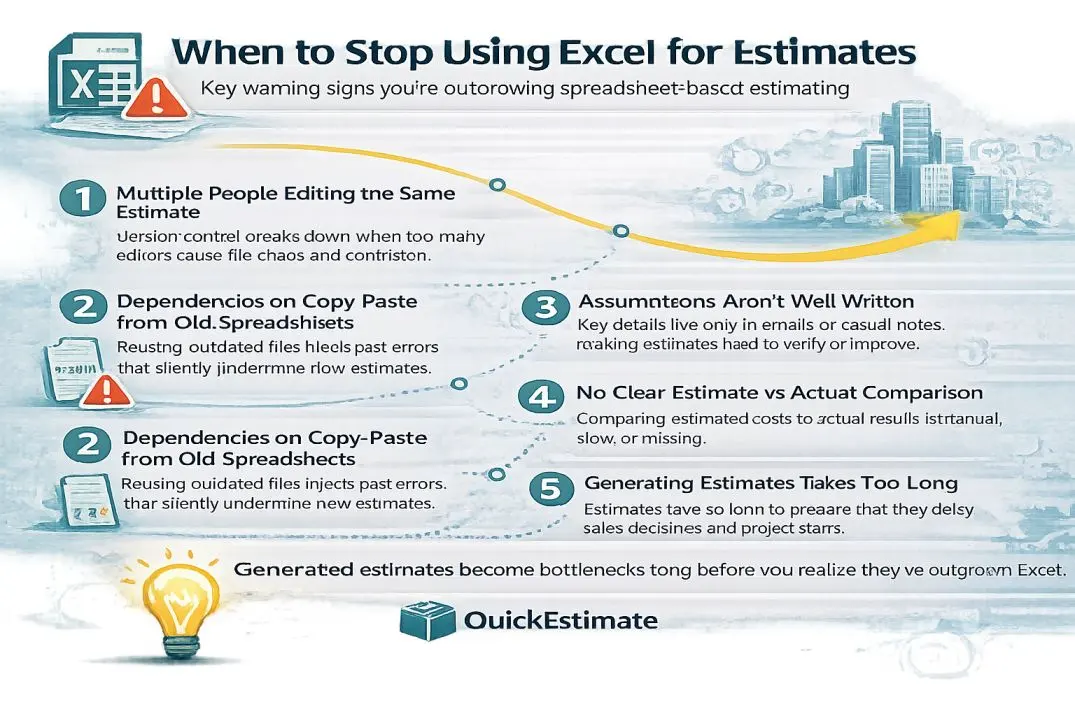
Key warning signs that indicate when Excel stops supporting accurate and scalable estimation.
Important Insight
Excel does not fail all at once.
Slowly, estimates become less accurate, take more time to generate, and people stop feeling confident about them.
What Replacing Excel Really Means
Eliminating spreadsheets entirely is not like moving beyond Excel.
It usually means Moving generating estimation process from an individual-driven activity
to a defined, repeatable workflow that can be used by teams.
- All steps that are used in estimation are standardized.
- Clear assignment of the ownership, review, and approval stages
- Well-written assumptions and scope boundaries for the projects
- Structured tracking of estimated vs. actual results
Excel might still be used for analysis.
But it should no longer be the single source of truth for generating your estimates.
The Real Question to Ask
The decision is not about which tools are used—it’s about risk.
If your estimates depend heavily on individuals,
lack consistency, or cannot be audited,
Excel is no longer supporting your growth. Then you should move to a better option.
Read the Excel vs Estimation Software