
 Reed Jason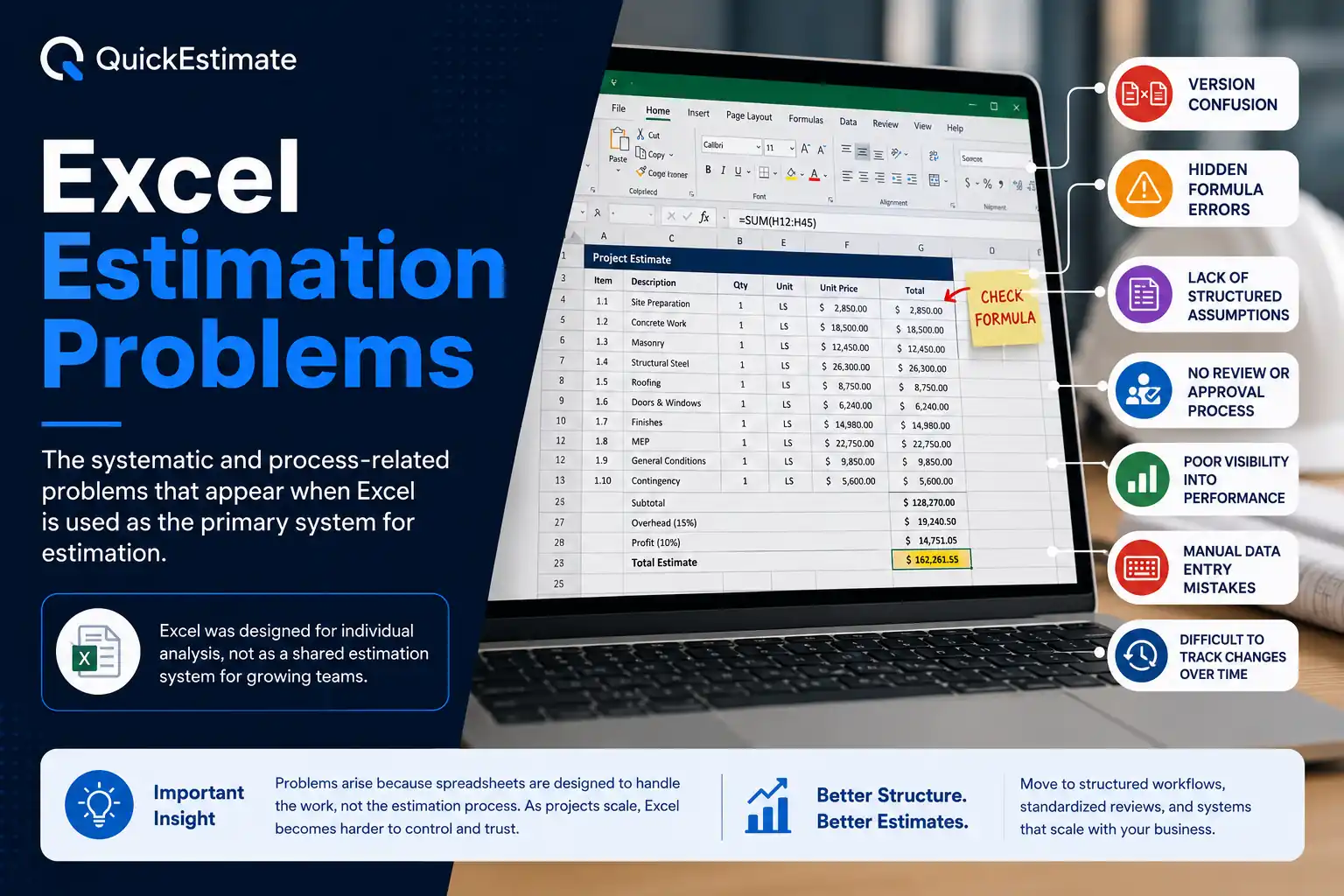
These challenges are covered in depth in the complete
Estimation Problems Guide →
Excel is usually the first tool teams use for estimation because it feels flexible, familiar, and easy to control. However, as projects scale and estimation becomes more critical to business performance, Excel begins creating risks that become increasingly difficult to manage.
Most Excel estimation problems do not appear at the start of a project. They develop gradually as files grow larger, more people become involved, and estimates are reused repeatedly across multiple jobs and clients.
Why Excel Becomes a Problem at Scale
Excel was designed primarily for individual analysis, not as a shared estimation system for growing organizations. As project responsibilities increase, spreadsheets usually struggle to support consistency, accountability, visibility, and long-term reliability.
- Estimation logic lives inside individual files
- Processes depend on personal habits instead of company standards
- Accuracy depends heavily on manual review and experience
- Scope changes become difficult to validate and trace
1. Version Confusion
Multiple versions of the same estimate quickly appear across teams. As files are duplicated, renamed, or emailed back and forth, it becomes difficult to identify which estimate contains the final approved scope of work.
Teams frequently share outdated estimates without realizing it, increasing the possibility of incorrect pricing, outdated assumptions, and avoidable financial errors.
2. Hidden Formula Errors
Small spreadsheet issues such as overwritten formulas, broken references, hidden rows, or incorrect cell links can quietly distort totals without creating visible warnings.
Most spreadsheet errors are not caused by bad intent or poor teams. They occur because spreadsheets become increasingly difficult to control as projects, tabs, formulas, and contributors grow.
3. Lack of Structured Assumptions
Key project assumptions are often buried inside formulas, notes, emails, or verbal conversations. When assumptions are not clearly documented and visible, estimates become difficult to review, validate, and safely reuse.
4. No Standard Review or Approval Process
Excel itself does not provide structured approval workflows or mandatory review checkpoints before estimates are shared externally.
- Estimates may be sent without validation
- Important scope assumptions may be missed
- Pricing inconsistencies can pass unnoticed
- Manual review quality varies between team members
5. Poor Visibility Into Performance
Over time, estimation teams struggle to improve accuracy because comparing estimated values against actual project performance becomes largely manual and inconsistent.
Without centralized visibility into historical estimates and outcomes, organizations repeat the same mistakes across multiple projects.
6. Manual Data Entry Mistakes
Excel relies heavily on manual input. A single incorrect number, missed cell, or copy-paste issue can completely alter the estimate without immediate visibility.
Small input errors often remain unnoticed until financial losses appear during execution or after the project is completed.
7. Difficult to Track Changes Over Time
Excel does not clearly explain who changed what, when the change happened, or why it was made. As estimates evolve, teams lose important project context and struggle to rebuild trust in the numbers.
How Excel Estimation Problems Affect the Business
These issues usually develop slowly, making them easy to ignore until their financial impact becomes visible across projects and operations.
| Problem | Business Impact |
|---|---|
| Version confusion | Incorrect or outdated pricing |
| Formula errors | Hidden financial inaccuracies |
| Poor review process | Reduced confidence in estimates |
| Manual dependencies | Heavy reliance on specific individuals |
| No historical visibility | Teams repeat the same mistakes |
Why More Excel Complexity Is Not the Answer
Teams often try solving spreadsheet problems by adding more formulas, tabs, manual validations, and complicated logic. Unfortunately, this usually increases file complexity and makes estimates harder to review, maintain, and transfer between team members.
At scale, better estimation comes from better structure and workflow visibility — not from increasingly complicated spreadsheets.
What Growing Teams Do Instead
Growing organizations gradually move from file-based estimation toward structured workflows and centralized systems.
- Standardize estimation inputs and assumptions
- Create visibility into approvals and changes
- Reduce dependency on individual spreadsheets
- Improve consistency across teams and projects
- Use Excel as a supporting tool instead of the system of record
Frequently Asked Questions
Spreadsheet risks grow gradually as projects, formulas, contributors, and estimate complexity increase. What starts as a manageable file often becomes difficult to control at scale.
Spreadsheets are useful tools for early-stage estimation and analysis. Problems usually appear when spreadsheets become the primary long-term estimation system for growing teams and larger projects.
Hidden formula errors are commonly caused by overwritten cells, broken references, copy-paste mistakes, deleted rows, or inconsistent spreadsheet structures.
As estimation becomes business-critical, growing organizations need better visibility, approvals, structure, collaboration, and change tracking than spreadsheets typically provide.