
 Reed Jason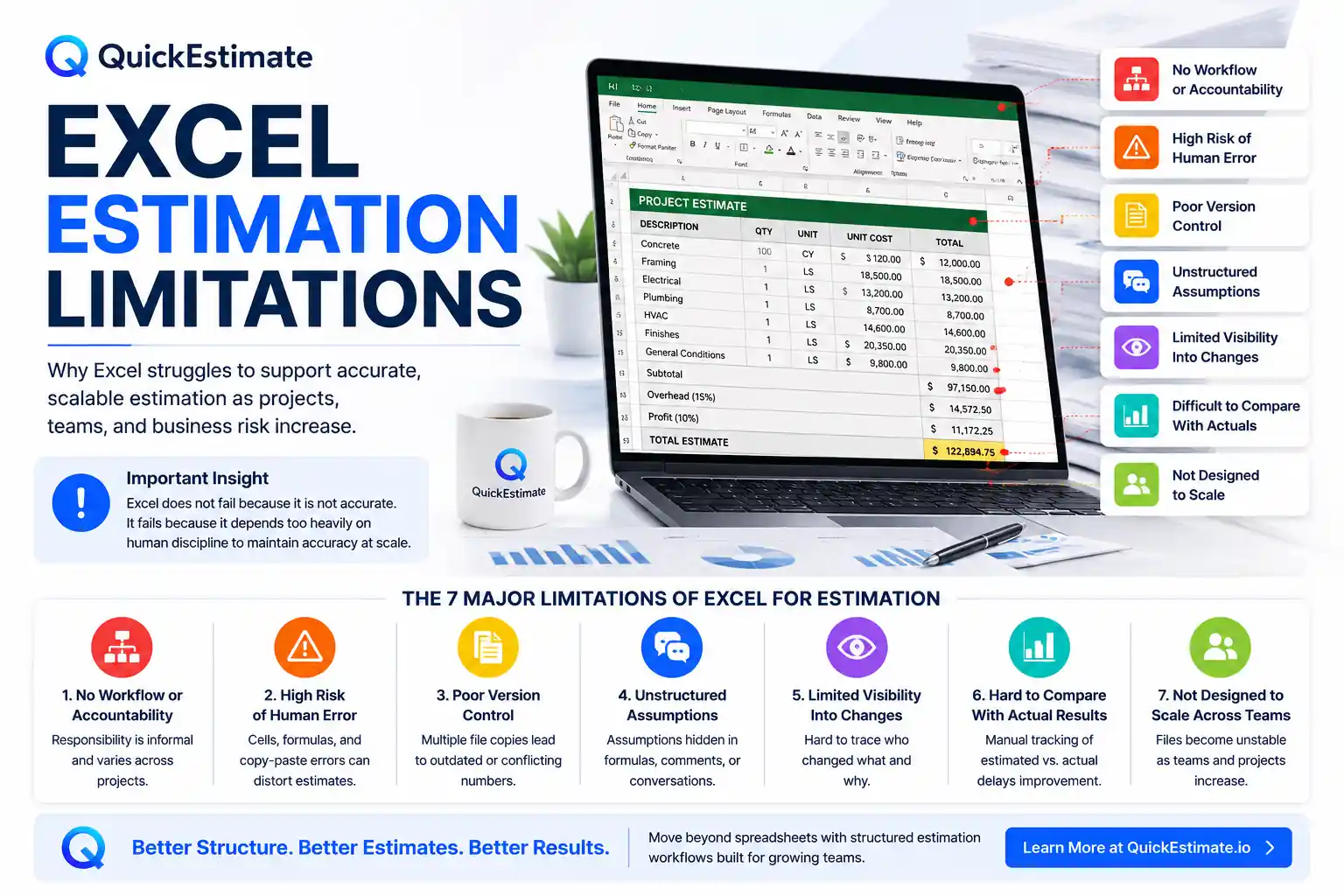
These limitations are covered in depth in the complete
Excel vs Estimation Software →
Excel is one of the most widely used tools for project estimation because it is flexible, familiar, and effective for basic calculations. However, Excel was never designed to function as a long-term estimation system for growing organizations.
As estimation becomes increasingly important to profitability, forecasting, planning, and operational decision-making, Excel’s structural limitations begin to surface quietly — and often too late.
Why Excel Feels Like It Works
Excel performs well during the early stages of business growth because it allows teams to estimate quickly without requiring formal setup, structured workflows, or centralized systems.
- Quick calculations without system configuration
- Flexible formulas and customization
- Small teams communicate assumptions informally
- Lower project volume makes errors easier to notice
The strengths that make Excel useful in smaller environments often become major weaknesses as project complexity, team size, and business risk increase.
1. No Built-In Workflow or Accountability
Excel does not define who prepares, reviews, validates, or approves an estimate. Responsibility is usually informal and varies from project to project.
This increases the risk of inconsistent estimating practices and unreviewed project estimates moving forward without accountability.
2. High Risk of Human Error
Spreadsheet formulas can easily be overwritten, cells edited accidentally, and copy-paste reuse can quietly introduce hidden calculation issues over time.
Excel depends heavily on human discipline to maintain long-term accuracy, especially as spreadsheets become larger and more complex.
3. Poor Version Control
Multiple copies of the same spreadsheet often appear quickly across teams and departments. Over time, organizations struggle to determine which estimate is current and which version is outdated.
- Old pricing gets reused accidentally
- Different teams work from conflicting numbers
- Project scope versions become difficult to track
- Outdated estimates continue circulating internally
4. Assumptions Are Not Structured or Well Documented
Important project assumptions often live inside formulas, comments, emails, or verbal conversations rather than being clearly documented in a structured way.
When assumptions are hidden or inconsistent, estimates become difficult to validate, reuse, or review safely.
5. Limited Visibility Into Changes
Excel provides very limited transparency into who made changes, why updates happened, and how estimate values evolved over time.
Once numbers change, tracing the source of the change often becomes time-consuming, unreliable, or impossible.
6. Difficult to Compare Estimates With Actual Results
Excel does not naturally connect project estimates with real-world outcomes and actual project performance.
Most organizations must manually compare estimated versus actual costs, making continuous learning slower and less reliable.
7. Not Designed to Scale Across Teams
Excel works reasonably well for smaller individual estimates, but coordination becomes increasingly difficult as project volume and team size grow.
- Team consistency becomes harder to maintain
- File management becomes unstable
- Oversight weakens as spreadsheets multiply
- Knowledge becomes dependent on a few individuals
Excel works — until estimation requires structure, accountability, visibility, and scale.
How These Limitations Impact the Business
Spreadsheet limitations usually compound gradually, making them difficult to detect until financial or operational consequences become visible.
| Excel Limitation | Business Impact |
|---|---|
| Unstructured workflows | Inconsistent estimating practices |
| Formula dependency | Higher financial risk |
| No visibility into changes | Reduced trust in estimates |
| Poor performance tracking | Slower estimation improvement |
| Scaling limitations | Operational instability as volume increases |
Why Adding More Spreadsheet Complexity Doesn’t Solve the Problem
Teams often respond to spreadsheet limitations by adding more tabs, formulas, validation layers, and manual review steps. Over time, only a small number of people fully understand how the file actually works.
This makes estimation workflows fragile, difficult to maintain, risky to modify, and increasingly hard to scale across growing organizations.
At a certain point, better estimating requires better workflow structure and accountability — not more spreadsheet complexity.
What Growing Teams Do Instead
Organizations that scale successfully gradually replace spreadsheet-centered estimating with more structured and standardized workflows.
- Introduce systematic estimation processes
- Separate calculations from assumptions and approvals
- Create structured review checkpoints
- Track estimated versus actual outcomes
- Reduce dependency on spreadsheet files as systems of record
Excel may continue serving as an analysis tool — but no longer acts as the foundation for estimation operations.
Frequently Asked Questions
As projects, contributors, formulas, assumptions, and workflows grow more complex, spreadsheets become harder to validate, maintain, review, and scale consistently.
Excel itself is highly capable for calculations. The main limitation comes from heavy dependence on manual processes, human discipline, and unstructured workflows at scale.
Multiple spreadsheet copies are often duplicated, emailed, renamed, and modified independently, making it difficult to identify the current approved estimate version.
Growing teams usually move toward structured estimation systems with standardized workflows, approvals, visibility, centralized records, and performance tracking.